Responsive Logo Design: How to Build a Logo That Works at Any Size in 2026

Responsive logo design means building your logo as a small family of versions — typically a full lockup, a simplified primary mark, a compact version and a bare icon — each redrawn, not just shrunk, so it stays legible and on-brand at the exact size and context it's used in. Instead of taking one logo file and scaling it up for a billboard and down for a 16-pixel browser tab (where the wordmark smudges into a grey blur), a responsive system swaps in a purpose-drawn version as the available space shrinks. The full lockup carries the symbol, wordmark and any tagline; the icon is just the symbol, redrawn with thicker strokes and less detail so it survives at favicon size. The practical rule is simple: a logo that has to work from signage to a social avatar isn't one artwork — it's a system, and designing it as a system is what keeps your brand sharp everywhere it appears.
That's the short answer. The longer one matters because most logos are still delivered as a single file, and the cracks only show later — when the brand goes live on a phone, inside an app bar, as an email signature or as a 32-pixel favicon, and the one beautiful logo that looked great on the pitch slide turns into mush. We design logos and full identity systems as a Top Rated Plus studio on Upwork — 8+ years, 3,000+ projects across 30+ countries, 100% Job Success — and a responsive logo system is one of the quiet details that separates a brand that looks expensive everywhere from one that only looks good in the brand guidelines PDF. Below: what responsive logo design is, how to build the system, how it differs from simply shrinking a file, how to set minimum sizes and clear space, and whether your business actually needs one yet.
What is responsive logo design?
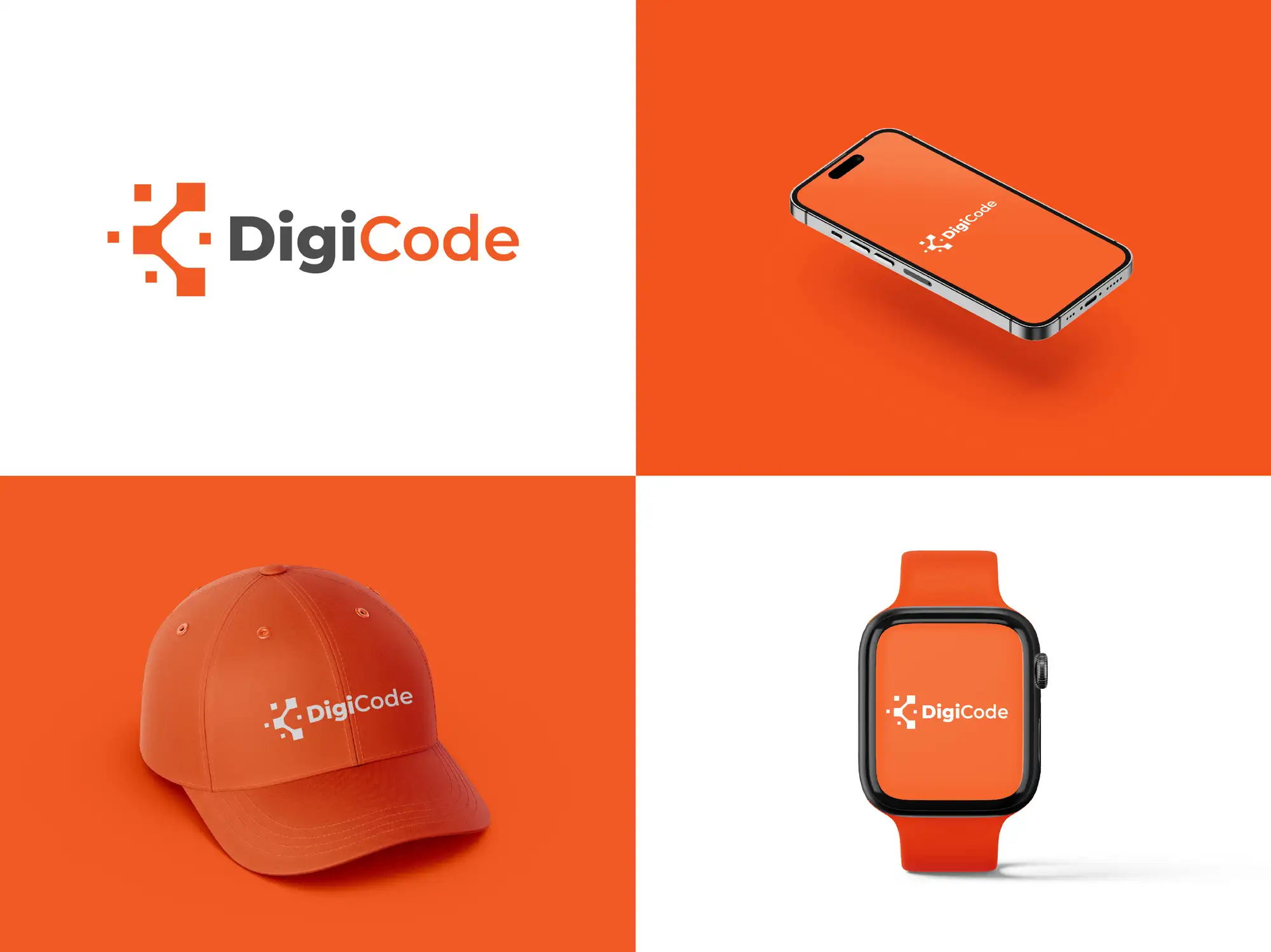
Responsive logo design borrows its name from responsive web design, where a layout adapts to the size of the screen. A responsive logo adapts to the size and context of where it's displayed. Rather than one static mark that gets mechanically scaled, you design a set of related versions that share the same visual DNA — the same colours, the same core symbol, the same personality — but differ in how much detail they carry. As the space gets smaller, the logo drops complexity: the tagline goes first, then the wordmark may shorten or stack, and at the smallest sizes you're left with a single, instantly recognisable icon.
Responsive logo design is the practice of creating one logo as a family of versions — from a full lockup down to a single icon — each optimised to stay legible and on-brand at a specific size and context, rather than scaling one file up and down and hoping it holds together.
The reason this matters more every year is that brands now live overwhelmingly in small, cramped digital spaces: a mobile browser tab, an app home screen, a notification badge, a social profile picture, a sponsor strip on a video. A logo that was designed only for a letterhead or a wide website header will fail in those places — and those places are where most people now actually see your brand. A responsive logo is part of a proper identity, which is why it belongs in the same conversation as how you build a brand identity overall, not as an afterthought bolted on once the main logo is signed off.
How do you build a responsive logo system?
The standard approach is a tiered set of versions, each with a clear job and a defined range of sizes. Four levels cover almost every brand; some only need three. The key discipline is that each smaller version is redrawn for its size — strokes thickened, gaps widened, fine detail removed — not just exported at a smaller scale. Here's the system we build:
| Version | Where it's used | What changes |
|---|---|---|
| Full lockup | Website header, landing pages, print, signage, decks | Symbol + full wordmark + any tagline — the most detailed version |
| Primary / standard | General medium sizes: documents, email headers, cards | Symbol + wordmark; tagline and fine detail dropped |
| Compact / reduced | Narrow mobile headers, app bars, email signatures | Symbol + shortened or stacked wordmark; thicker strokes, wider spacing |
| Icon / mark | Favicon, app icon, social avatar, watermark, notifications | Symbol only, redrawn for tiny sizes with no fine detail |
Building it is a deliberate process, not a set of auto-generated exports:
- Start from the full lockup and the icon — the two extremes. Get the most detailed version and the smallest version right first; the middle versions are steps between them.
- Design the icon to stand alone. The symbol has to be recognisable with no wordmark next to it. If cropping the symbol out of the full logo produces something generic or illegible, the symbol needs rethinking, not just resizing.
- Redraw, don't shrink. At each smaller level, thicken strokes, open up the spacing between elements, and drop detail that won't survive. A hairline that looks elegant at 200px disappears at 24px.
- Define the size range for each version. Decide the pixel range where each version is the correct one to use, so there's no ambiguity about which to reach for.
- Test on real devices and in print. View every version at its actual target size on a phone, as a favicon in a real browser tab, as an app icon, and printed small. Fix whatever breaks.
- Document it in the brand guidelines. Record each version, its usage, its minimum size and its clear space so anyone — internal team, printer, developer — uses the right one.
That documentation step is where a responsive logo pays off long-term: the versions only stay consistent if they're captured in a proper set of brand guidelines that everyone who touches the brand actually follows. A logo system with no rules drifts back into chaos within months.
What's the difference between a responsive logo and just shrinking your logo?
This is the question that decides whether a logo looks professional at small sizes or cheap. Scaling a single file down keeps every detail but makes all of it smaller — including details that were never meant to be seen at that size. A responsive system changes what's shown, not just how big it is. The contrast is sharpest exactly where brands are seen most: small, digital, cramped.
| At small sizes | One logo, scaled down | Responsive logo system |
|---|---|---|
| Legibility | Wordmark blurs into a grey smudge | Switches to a compact or icon version that stays readable |
| Detail | Fine lines and gaps merge or vanish | Detail is redrawn with thicker strokes and more spacing |
| Favicon / app icon | A squashed, unreadable rectangle | A purpose-built square icon designed for the size |
| Brand recognition | Looks inconsistent and amateur | Stays on-brand and recognisable everywhere it appears |
The before/after is easy to feel the moment you look at your own site in a browser tab: if the favicon is just your full logo crushed into a 16-pixel square, it's almost certainly an unreadable blob, and every visitor who pins or bookmarks your site sees it. A responsive icon — the symbol alone, redrawn to be clear at that size — fixes it instantly. It's the same discipline that keeps a brand coherent across unpredictable digital surfaces, including the newer problem of keeping brand colours consistent in AI-generated images: a brand holds together when its assets are built for where they'll actually be used, not for the ideal case.
How do you set minimum sizes and clear space for each logo version?
There is no single universal minimum logo size — it depends on the logo's complexity, so you set it by testing, then record it. The process is the same for every version: shrink it until it stops being clearly legible, step back up to a comfortable margin, and write that number into the guidelines as the minimum. A simple icon might stay crisp down to 16px; a detailed full lockup might need 120px or more to hold together. Each version in the system gets its own minimum, which is exactly why the system exists: when you'd drop below one version's minimum, you switch to the next, simpler version instead.
Clear space — the protected margin around the logo that nothing else intrudes on — is defined the same way: relative to the logo itself, so it scales automatically. Common conventions include:
- Tie clear space to a part of the logo. For example, a margin equal to the height of the symbol, or the height of a capital letter in the wordmark, so the rule scales with the logo at any size.
- Set a per-version minimum size. Each version (full, compact, icon) gets its own tested minimum, so no one shrinks a detailed version past the point it's legible.
- Specify the switch points. State the size ranges where each version is the correct one, removing guesswork for designers and developers.
- Separate digital and print minimums. A size that's fine on screen can be too small in print, where ink spread merges fine detail — test and record both.
These aren't arbitrary rules — they're what stops a carefully designed logo from being quietly wrecked by whoever places it next. They belong alongside the rest of your identity decisions, the same way choosing a palette and type belongs in a considered brand identity package rather than being improvised asset by asset.
When does a small business actually need a responsive logo in 2026?
Not every business needs a four-version system on day one — but almost every business that exists online needs at least two: a full logo and a standalone icon. If you have a website, a social profile and an app or any mobile presence, you already have places where the full logo won't fit, which means you're already relying on something at icon size whether you designed it or not. The honest test is to look at where your brand appears and ask whether the logo is actually legible there.
You need a responsive logo system when:
- Your favicon or app icon is unreadable. If people see a smudge in the browser tab or on their home screen, you need a purpose-built icon version now.
- You're launching or rebranding. Building the system into a new identity is far cheaper than retrofitting it later — bake it in from the start.
- Your logo looks different (or broken) across platforms. Inconsistent appearance across web, mobile, social and print is the exact problem a responsive system solves.
- You're running ads or appearing on partner sites. Your logo will be placed at sizes you don't control, so it needs a version that holds up small.
- You're scaling up. As you add touchpoints — app, merchandise, signage, sponsorships — a single file stops being enough and the lack of a system starts to show.
If you're commissioning a new logo, ask for a responsive system up front — a full lockup and a standalone icon at minimum, with minimum sizes and clear space documented. A good designer builds this as standard; it's a sign the logo was designed for the real world, not just the presentation. Our logo design service for startups and logo redesign service both deliver the logo as a responsive system with the usage rules documented, so it works from signage to favicon on day one.
The honest recommendation for 2026
Stop thinking of your logo as one picture and start thinking of it as a small system. At the very least, design two versions — a full lockup and a standalone icon — and test them at the sizes they'll really be used. If your brand lives across web, mobile, social, print and ads, invest in the full four-version responsive system and document the minimum sizes and clear space so it stays consistent. The payoff is a brand that looks deliberate and expensive everywhere it appears, instead of one that only holds together in the brand guidelines. If you'd rather have it done properly — a logo built as a responsive system, with the icon, the compact version and the usage rules all delivered — our brand identity service handles it end to end, and you can check verified results on our Top Rated Plus Upwork profile.
Frequently asked questions
What is a responsive logo?
A responsive logo is a logo designed as a system of versions — typically a full lockup, a simplified primary mark, a compact version and a bare icon — rather than a single static file. Each version is redrawn to stay legible and on-brand at a specific size and context: the full lockup for large uses like signage and website headers, and the icon, redrawn with thicker strokes and no fine detail, for tiny uses like a favicon or app icon. As the available space shrinks, you switch to a simpler version instead of scaling one file down until it blurs. It's the logo equivalent of responsive web design — the mark adapts to where it's shown.
How many versions should a responsive logo have?
Most brands need three or four versions, though the minimum useful set is two: a full logo and a standalone icon. A typical four-level system is a full lockup (symbol, wordmark and any tagline, for large and print uses), a primary version (symbol and wordmark, tagline dropped, for general medium sizes), a compact or reduced version (shortened or stacked, with thicker strokes, for narrow spaces like mobile headers and app bars), and an icon (the symbol alone, redrawn for favicon and app-icon sizes). Smaller or simpler brands can often stop at full logo plus icon. The right number depends on how many different sizes and contexts your brand actually appears in.
What's the difference between a responsive logo and just resizing my logo?
Resizing scales one file up or down — every detail stays, just bigger or smaller, so at small sizes fine lines merge, the wordmark blurs, and a favicon becomes an unreadable rectangle. A responsive logo changes what is shown, not just the size: as space shrinks it drops the tagline, then simplifies or shortens the wordmark, and finally switches to a purpose-drawn icon with thicker strokes and no fine detail. The result stays legible and on-brand at every size. The quickest way to see the difference is your own favicon — if it's your full logo crushed into a 16-pixel square, it's almost certainly illegible, which is exactly what a responsive icon version fixes.
Does my small business really need a responsive logo?
If your business exists online, you need at least two versions — a full logo and a standalone icon — because you already have places the full logo won't fit, like a favicon, an app icon or a social avatar. Whether you need the full four-version system depends on your footprint: a business running across web, mobile, social, print and ads benefits from the complete set, while a simpler brand can start with full-logo-plus-icon and expand later. The clearest signal you need one now is an unreadable favicon or a logo that looks broken or inconsistent across platforms. If you're launching or rebranding, build the system in from the start — it's far cheaper than retrofitting it later.
Want this done for you?
FRPROTECH is a Top Rated Plus Upwork agency with 3,000+ projects delivered across 30+ countries. Tell us your goals and we'll handle the rest.
Written by the FRPROTECH design team. 8+ years building brands and websites for clients in 30+ countries, with a 100% Job Success Score on Upwork.